 Advanced search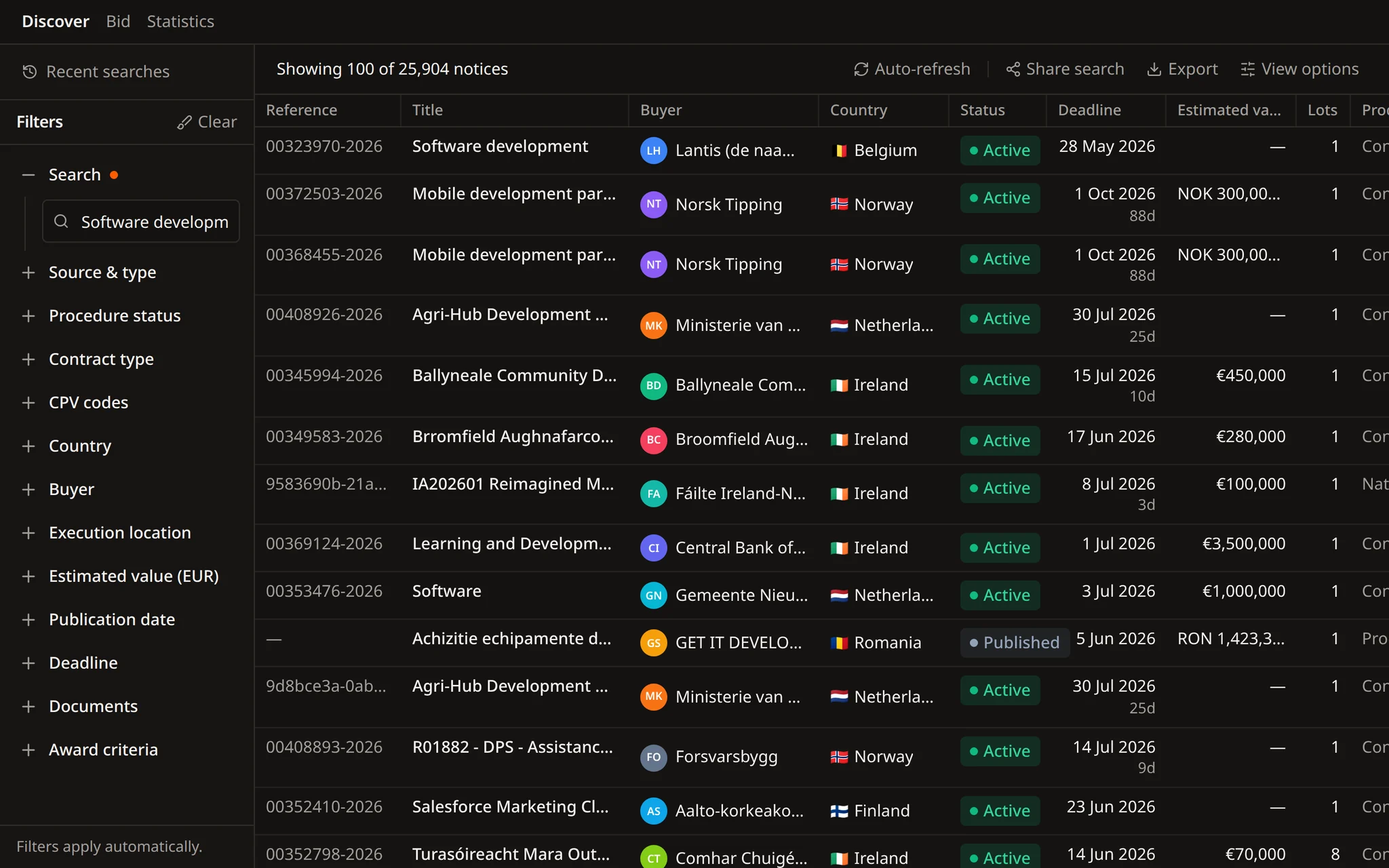
Values compared in one currency
Estimated values in zloty, forint or koruna are converted, so a value range means the same in every country.


Find opportunities, choose which ones to pursue, prepare the response, and track the deadline.
Search notices, buyers, and CPV codes. Save useful searches and keep deadlines in view.
Improve text, translate it, remove sensitive details, or fill a template, then review each change in the same Word file.
Get notified when a relevant tender appears. Check the details, keep deadlines in view, and decide what needs attention next.
 Advanced search
Flow, the Tendersight agent, turns one request into CPV, value, deadline and procedure filters, and searches inside the tender documents.
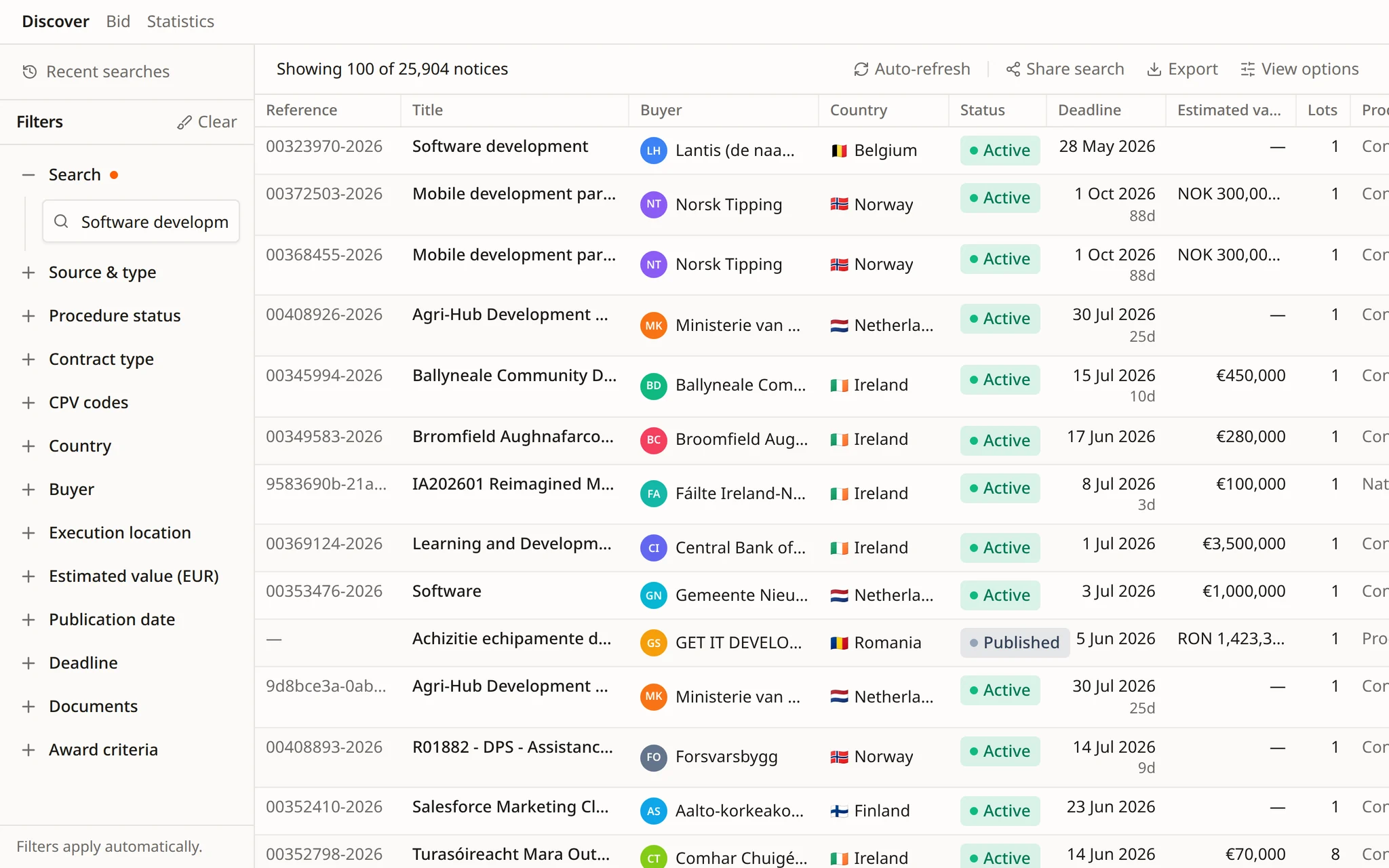
Values converted across currencies
Document matches cite the page
28+ sources across 27 EU countries
A precise search is a list of filters you can read.
Flow turns one sentence into CPV codes, places, values, dates and procedure filters, states each one, and runs the search in the Tendersight catalogue.
Each filter narrows the list for a different reason. Flow sets them from the way you describe the work.
CPV codes and categories
Place of performance
Contract type
Estimated value
Publication and deadline
Notice type and procedure status
Contracting authorities
Documents and award criteria
From one sentence to filters you can check, matches inside the documents and an alert rule that keeps the search running.
Flow reads the request and sets CPV scope, place of performance, value and deadline, showing each step as it works.
In Discover, the filters sit beside the results: procedure status, contract type, CPV codes, buyer, value, dates, documents and award criteria.
Ask for a requirement such as ISO/IEC 27001 and Flow returns each match with the document, the page and the passage.
Before you shortlist, Flow extracts the award criteria and their weightings from the tender documents.
Flow proposes an alert rule with every filter in place. It is created only after you approve it.
Examples of requests from teams bidding for IT and business services.
Find open-procedure tenders for IT service desks in Austria and Germany above €1M, with at least 30 days to the submission deadline.
Show IT support tenders in Poland, Czechia and Hungary between €200,000 and €2M, with values converted to euro.
Which CPV codes cover service desk, on-site support and software licences? Use them for the search.
Search only tenders from federal agencies and the city of Vienna published since 1 January.
Which of these tenders mention ISO/IEC 27001 in their documents? Give me the page for each match.
For each shortlisted tender, list the award criteria and how much price weighs.
Converted values, scheduled runs, exports and shortlists built as a plan.
Estimated values in zloty, forint or koruna are converted, so a value range means the same in every country.
Flow runs the search on the days you choose and opens a conversation with the new notices each time.
Flow lists the codes, places, values and dates it used, so you can correct the search before you keep it.
Flow exports the results with their sources and assumptions listed, marked as internal working files.
For a larger shortlist, Flow writes a plan, splits the reading across side agents and starts when you approve.
In a demo we rebuild it with Flow, check the filters with your team and put it on a schedule.
Keywords, country, region and city, place of performance, CPV codes and categories, notice type, procedure status, contract type, publication and deadline ranges, estimated value ranges with currency conversion, specific contracting authorities, and whether a notice has documents or award criteria.
No. Describe the work in words and Flow chooses the CPV codes, then lists the ones it used. You can also give it codes directly.
Yes. Flow searches inside a tender's documents and returns each match with the document, the page and the exact location on the page. Scanned PDFs are read with OCR.
Yes. Flow can save it as an alert rule, or create a scheduled task that runs it on the days you choose and summarises the new notices. Both are created only after you confirm them.
Yes. Ask Flow for a spreadsheet and it produces an Excel file that lists the notices with their sources, marked as an internal working file.
Start free and give Flow your first search, with every filter in it.