 Tendersight Leads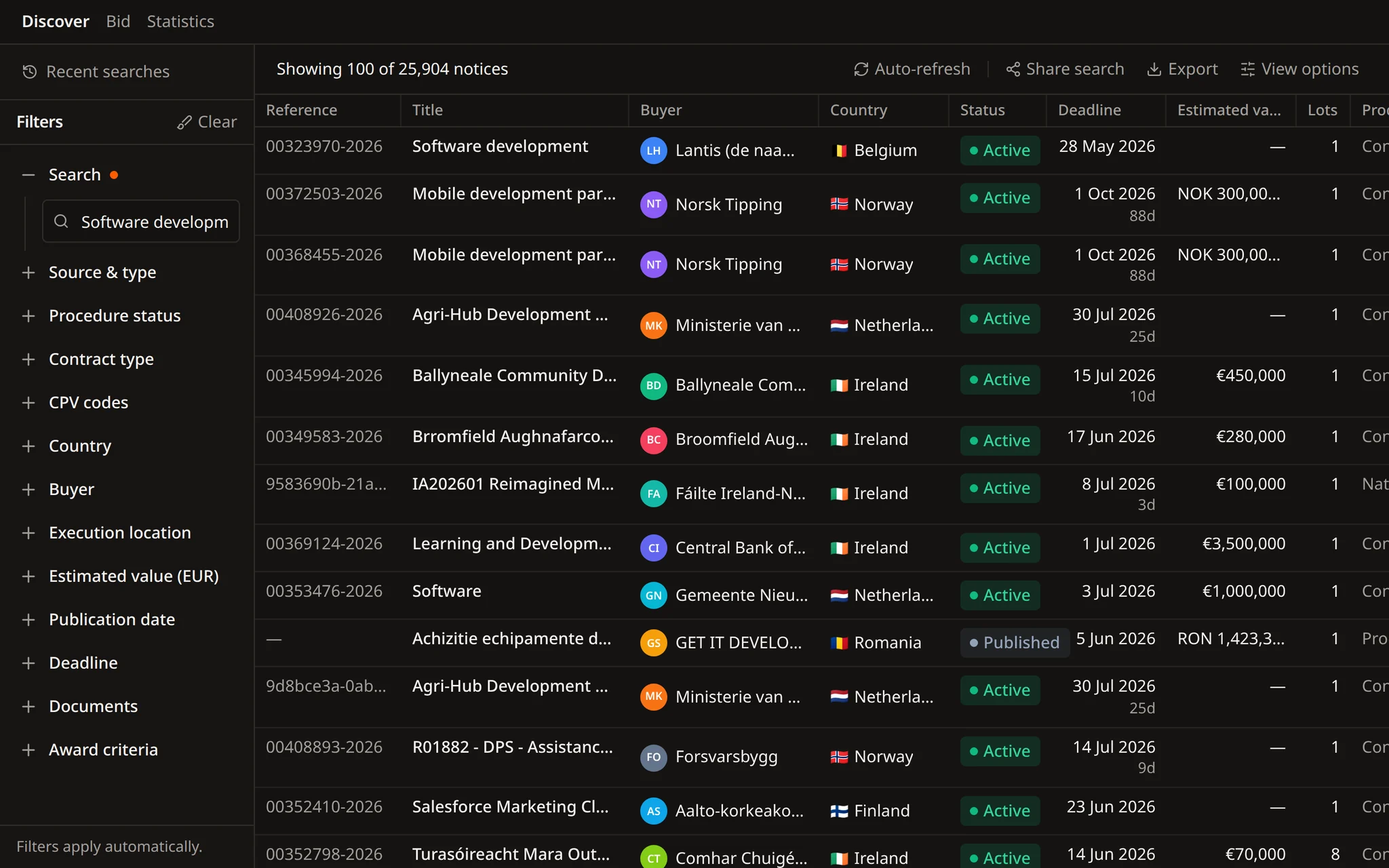
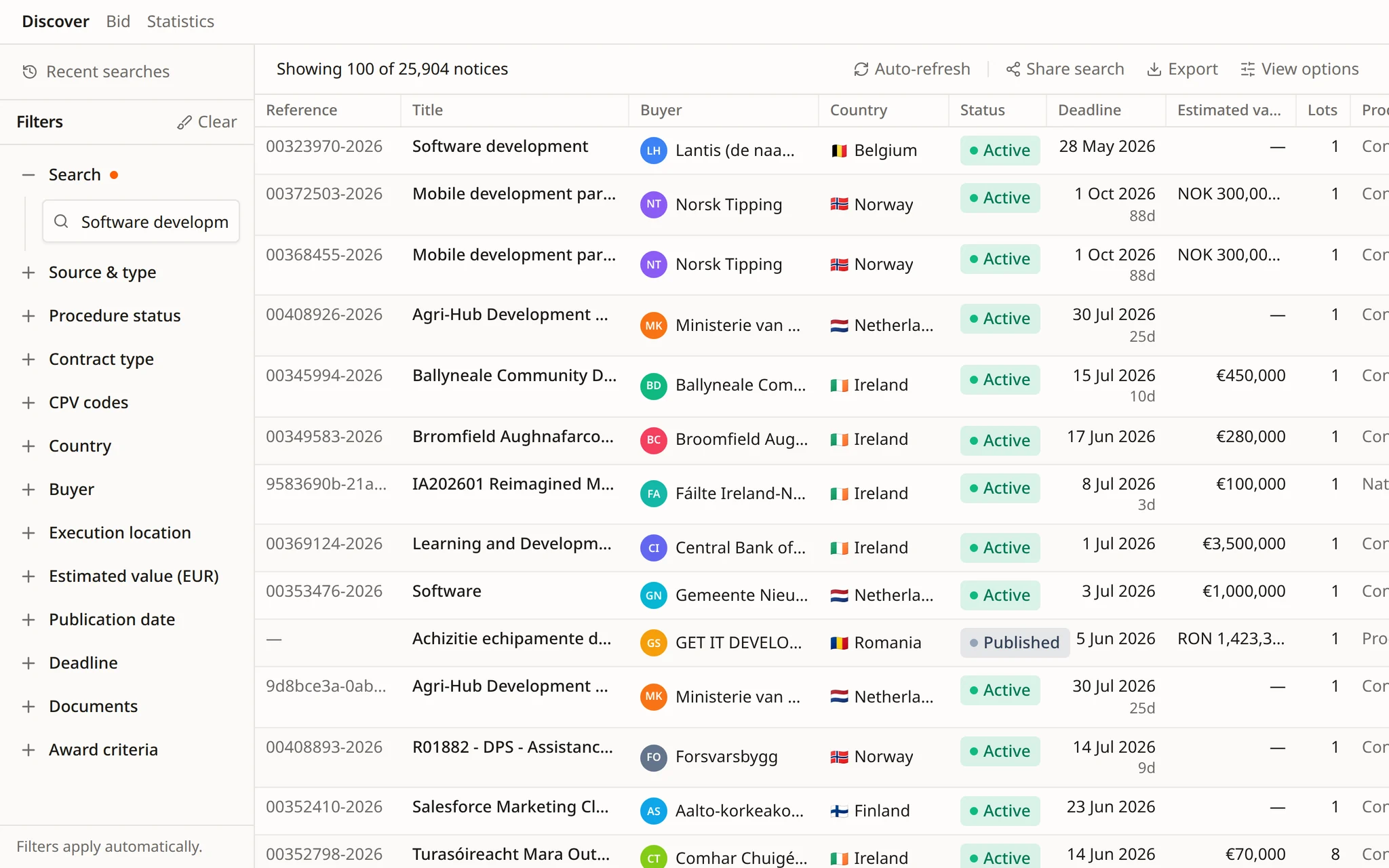
A lényeges adatok a találatokban maradnak
Ajánlatkérő, ország, állapot, határidő, becsült érték és részek, már a hirdetmény megnyitása előtt.


Keressen, minősítsen, építsen és kövesse nyomon minden választ egyetlen munkaterületen.
Keressen hirdetményeket, ajánlatkérőket és CPV-kódokat. Mentse a kereséseket, és ne mulasszon el egyetlen határidőt sem.
Négy akció. Nyomon követett változások. Az élő Word-dokumentum marad az igazság forrása.
Egyező figyelmeztetések, legfontosabb részletek, keresés és határidők – a telefonján.
 Tendersight Leads
Keressen hirdetményeket, ajánlatkérőket és CPV-kódokat. Vagy írja le a munkáját a Flow-nak, a Tendersight ügynökének, és ő összeállítja a keresést, az értesítést és az ütemezést.
Hirdetmények 28+ hivatalos forrásból
Ajánlatkérői és cégstatisztikák
Ütemezetten futó keresések
Írja le egyszer a munkát. A Flow keresést, értesítést és ütemezést készít belőle.
A Flow kiválasztja a CPV-kört, beállítja a szűrőket, és az Ön megerősítése után menti az értesítést. Az ütemezett futások összefoglalják az új hirdetményeket, a csapat pedig eldönti, melyikkel foglalkozik tovább.
Kombinálja őket a szűrőpanelen, vagy nevezze meg őket egy mondatban, és a Flow beállítja őket.
Tartsa meg azokat a hirdetményeket, amelyekre még lehet ajánlatot tenni, a többit tegye félre.
Szűrjön az ajánlatkérőre, annak székhelyére vagy a szerződés teljesítési helyére.
Árubeszerzés, szolgáltatás vagy építési beruházás, azokra a CPV-kódokra szűkítve, amelyekre a cége valóban ajánlatot tesz.
Adjon meg értéktartományt euróban. A más pénznemben közzétett értékeket a rendszer átváltja.
Tartsa meg a friss hirdetményeket, és hagyja ki azokat, amelyek lejárnak, mielőtt a csapata reagálhatna.
Csak azokat a hirdetményeket mutassa, amelyek közzéteszik a dokumentumaikat vagy az értékelési szempontjaikat, hogy az anyag még ma elolvasható legyen.
A munkája egyszerű leírásától az értesítésig és az ütemezett keresésig. Minden lépés látható, és az értesítések csak az Ön megerősítése után változnak.
Mondja el a Flow-nak a saját szavaival, mit szállít. Kiválasztja a munkát lefedő CPV-kódokat, és megmutatja, melyeket választotta.
Ország, teljesítési hely, szerződéstípus, értéktartomány és határidő. A Flow 28+ hivatalos forrásban futtatja a keresést, és visszaadja a listát.
A Flow a beszélgetésből hoz létre, módosít és töröl értesítési szabályokat. Minden módosítás előbb megerősítő kártyaként jelenik meg.
Kérdezzen egy közbeszerzésről, és a Flow elolvassa a dokumentumait és értékelési szempontjait, majd a forrás megjelölésével válaszol.
Egy ütemezett feladat minden munkanap, vagy az Ön által választott napokon lefuttatja a keresést, és összefoglalja az újdonságokat. Minden futás saját beszélgetést nyit.
A Flow ajánlatkérői és cégstatisztikákat olvas: gyakori CPV-kódok, CPV-piaci részesedés, regionális lefedettség, fő versenytársak és a részvétel időbeli alakulása.
Mentse el, ossza meg ugyanazt a nézetet, exportálja a listát, vagy kérje meg a Flow-t, hogy fogalmazza meg a kérdést, amelyet egy hirdetmény nyitva hagy.
Ajánlatkérő, ország, állapot, határidő, becsült érték és részek, már a hirdetmény megnyitása előtt.
Ha egy hirdetmény nyitva hagy egy feltételt, a Flow megfogalmazza a kiegészítő tájékoztatás iránti kérelmet. A csapata átnézi és elküldi.
Tartsa meg a gyakran használt feltételeket, és nyissa meg újra őket anélkül, hogy minden szűrőt újra beállítana.
Keresési utasítások helyett ugyanazt a szűrt listát adja át egy kollégának.
Vigye át a találatokat abba a táblázatba vagy munkafolyamatba, amelyet a csapata már használ.
Példák értékesítési csapatok, ajánlatkezelők és üzletfejlesztési vezetők kéréseiből.
Keress nyitott közbeszerzéseket iskolai étkeztetésre Portugáliában és Spanyolországban, december 1. utáni ajánlattételi határidővel.
Milyen CPV-kódok fedik le az útburkolati jelek és a közlekedési táblák kivitelezését? Ezekkel keress Romániában és Bulgáriában.
Hozz létre értesítést az 500 000 € feletti belgiumi informatikai ügyfélszolgálati közbeszerzésekre, amelyek közzéteszik az értékelési szempontjaikat.
Mutasd meg a metróállomásos közbeszerzés ajánlatkérőjének statisztikáit és a leggyakrabban beszerzett CPV-kódjait.
Nyisd meg a metróállomásos közbeszerzést, és mondd meg, megengedett-e a közös ajánlattétel és az alvállalkozók bevonása, az oldalszámmal együtt.
Minden hétfőn 08:00-kor keress új hirdetményeket a CPV-körünkben, és sorold fel azokat, amelyek határideje több mint 20 nap múlva jár le.
A bemutatón a Flow-val beállítjuk a keresését, az értesítését és az ütemezett feladatát azokra a piacokra, ahol értékesít.
Hirdetményeket, ajánlatkérőket és CPV-kódokat 28+ hivatalos forrásból, 27 uniós országból. A találatokat szűkítheti hirdetménytípus, eljárásállapot, ország, ajánlatkérő, CPV-kód, becsült érték, dátumok, dokumentumok és értékelési szempontok szerint.
Írja le, mire tesz ajánlatot, és a Flow, a Tendersight ügynöke, kiválasztja a CPV-kódokat, lefuttatja a keresést az Ön szűrőivel, és megerősítés után létrehozza az értesítést. Egy hirdetmény dokumentumait és értékelési szempontjait is el tudja olvasni, és válaszol a velük kapcsolatos kérdésekre.
Igen. Egy ütemezett feladatnak van neve, hétköznapi nyelven írt utasítása és ütemezése, például minden munkanap 07:30-kor. Minden futás saját beszélgetést nyit az eredménnyel, az előzményekben pedig látszik, melyik futás sikerült és melyik vár adatra.
Igen. A Flow ajánlatkérői és cégstatisztikákat olvas, köztük a gyakori CPV-kódokat, a CPV-piaci részesedést, a regionális lefedettséget, a fő versenytársakat és a részvétel időbeli alakulását.
Igen. Mentse el a keresést, ossza meg ugyanazt a szűrt nézetet egy kollégával, vagy exportálja a találatokat abba a táblázatba vagy munkafolyamatba, amelyet a csapata már használ.
Kezdje ingyen, írja le, mire tesz ajánlatot, és kérje meg a Flow-t, hogy állítsa be az értesítést.